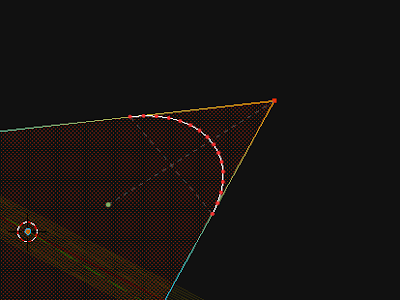
the code is a little lengthy to post in its entirety, but you can download it
heredef get_correct_verts(arc_centre, arc_start, arc_end, NUM_VERTS, context):
obj_centre = context.object.location
axis = mathutils.geometry.normal(arc_centre, arc_end, arc_start)
point1 = arc_start - arc_centre
point2 = arc_end - arc_centre
main_angle = point1.angle(point2)
main_angle_degrees = math.degrees(main_angle)
div_angle = main_angle / (NUM_VERTS - 1)
if DEBUG == True:
print("arc_centre =", arc_centre)
print("arc_start =", arc_start)
print("arc_end =", arc_end)
print("NUM_VERTS =", NUM_VERTS)
print("NormalAxis1 =", axis)
print("Main Angle (Rad)", main_angle, " > degrees", main_angle_degrees)
print("Division Angle (Radians)", div_angle)
print("AXIS:", axis)
trig_arc_verts = []
for i in range(NUM_VERTS):
rotation_matrix = mathutils.Matrix.Rotation(i*-div_angle, 3, axis)
# trig_point = (arc_start - obj_centre - arc_centre) * rotation_matrix # old
trig_point = rotation_matrix * (arc_start - obj_centre - arc_centre) # new
trig_point += obj_centre + arc_centre
trig_arc_verts.append(trig_point)
return trig_arc_verts
Matrix.Rotate() was the most complicated part, but now i've broken through that barrier it doesn't seem such utter voodoo anymore. Warning to user: you must apply scale/location/rotation transforms to your profile/object first before running the code or the vertices will appear somewhere else. Not sure if there is a cute way around that.
small update
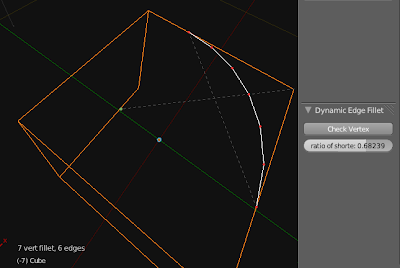
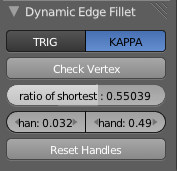
blender 2.5 GL fillet v0.2 from zeffii stanton on Vimeo.


